Most teams don't choose HR software because they want new software. They choose it because something broke — payroll took three days to reconcile, a compliance filing slipped past deadline, or an employee's leave balance was wrong for the second month in a row. By the time you're actually comparing vendors, you're usually under pressure, which is exactly when it's easiest to pick the platform with the best sales demo instead of the one that actually fits.
This checklist is built around a simpler approach: figure out what's actually broken first, then let that drive every other decision — including price.
Step 1: Write down what's actually broken, not what sounds impressive
Before you look at a single vendor website, list the three HR problems costing you the most time or money right now. Be specific. "Payroll is slow" is not specific. "Payroll takes four days because attendance, leave, and loan deductions all live in separate spreadsheets that someone has to reconcile by hand" is specific, and it tells you exactly what a platform needs to fix.
Common patterns worth checking for:
- Attendance, leave, and payroll are tracked in different tools and don't talk to each other
- Recruitment is running through email threads and spreadsheets, so nobody has visibility into where a candidate actually is in the process
- Vendor or contractor payments and onboarding happen completely outside the HR system, in a different department's inbox
- Employees constantly ask HR for things — payslips, leave balances, attendance corrections — that they should be able to see themselves
If you skip this step, you'll end up evaluating software on feature checklists instead of on whether it fixes your actual bottleneck — and feature checklists almost always favor the most expensive, most complex option, whether or not you need it.
Step 2: Separate "must-have" from "would be nice"
Once you know your real pain points, sort features into two buckets. Must-haves are things that solve a problem you listed in Step 1. Everything else — AI-powered analytics, a mobile app with push notifications, elaborate performance-review workflows — is a nice-to-have until proven otherwise.
For most growing businesses, the must-have core looks like this:
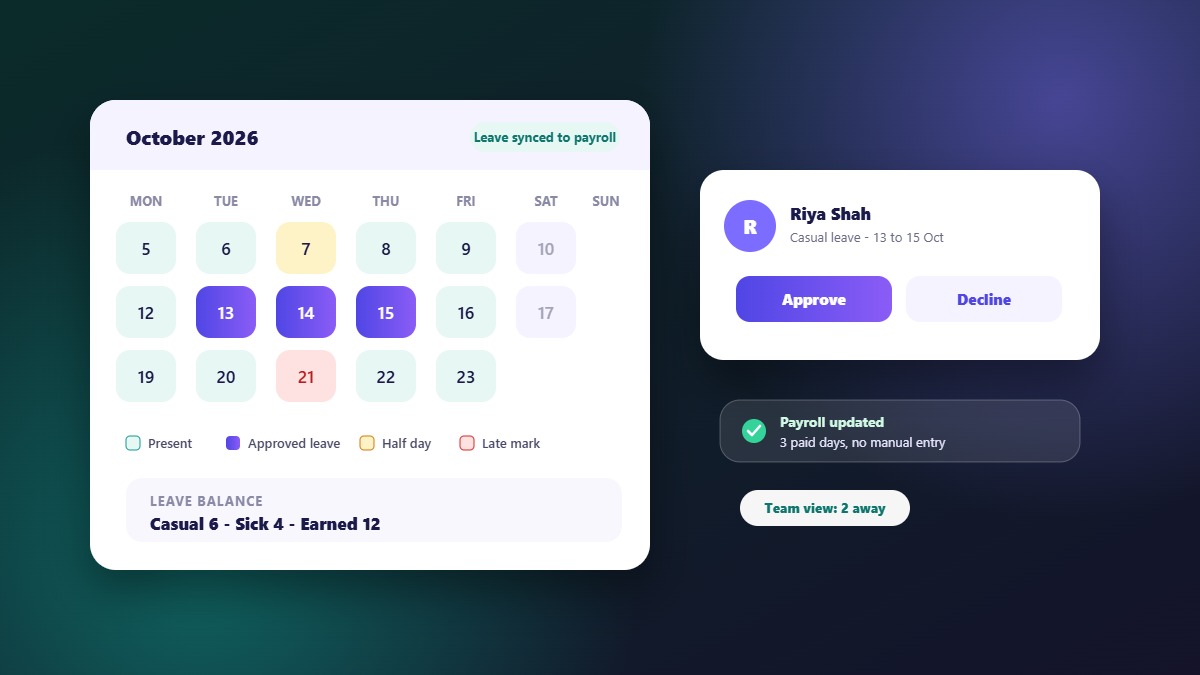
- Attendance and leave management that feed directly into payroll, not a parallel system someone reconciles manually
- Payroll processing that handles your actual salary structure, deductions, and statutory contributions without manual overrides every cycle
- Employee self-service for payslips, leave requests, and attendance — this alone removes a surprising share of HR's day-to-day ticket volume
- Role-based access so managers can approve their own team's leave and expenses without HR being a bottleneck for every request
If your business also manages recruitment or works with external vendors and contractors, check whether those modules exist natively in the same platform, or whether you'll be stitching together a second (and third) tool. A platform like WibesHR's HR and payroll module is built so attendance, leave, and payroll share one data model instead of three systems syncing awkwardly overnight.
Step 3: Understand how the pricing actually works
HR software pricing in India generally falls into two models, and the difference matters more than it first appears:
Flat monthly packages
You pay a fixed amount for a tier — say, up to 50 or 100 employees — regardless of your exact headcount. This can be predictable, but it also means you're often paying for capacity you don't need yet, or facing an awkward jump to the next tier the moment you hire your 51st employee.
Per-employee pricing
You pay a rate per active employee per month, so the bill scales directly with your actual headcount. This tends to suit growing teams better, since you're not pre-paying for growth that hasn't happened yet, and seasonal headcount changes don't force you into a different plan tier.
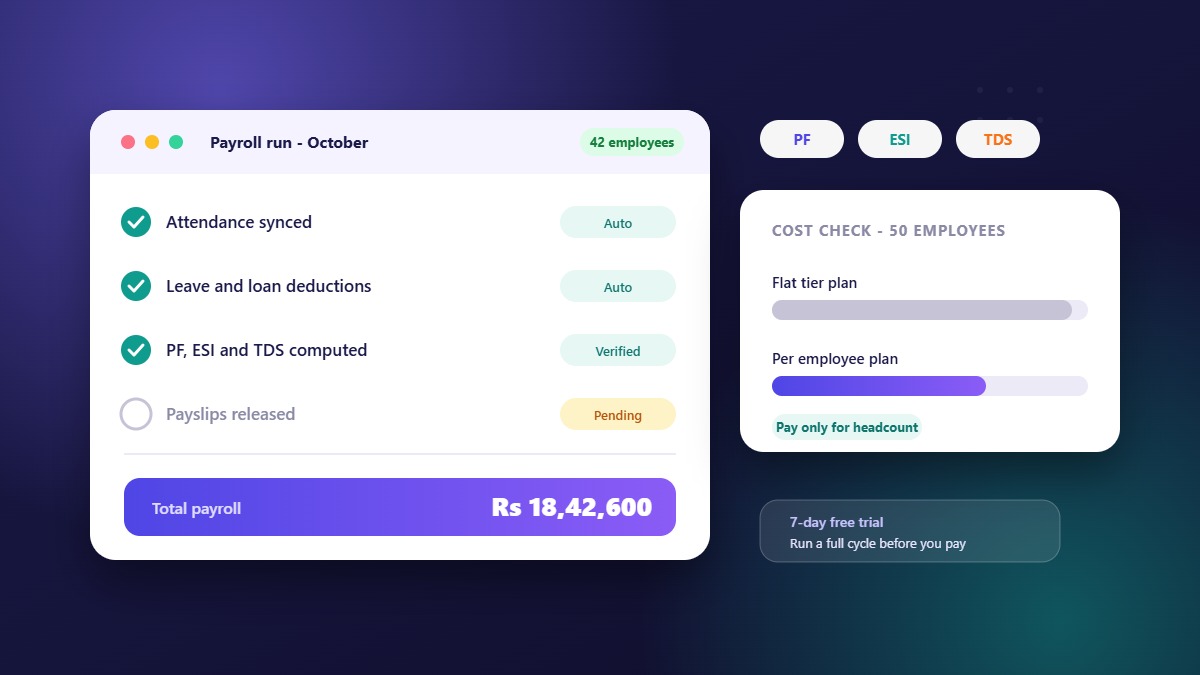
Published per-employee rates in the Indian HRMS market mostly sit between roughly ₹50 and ₹350 per employee per month depending on the feature set, with fixed monthly packages for smaller teams starting in the low thousands of rupees. When you compare vendors, always convert flat packages into an effective per-employee rate so you're comparing like for like — a "cheap" flat package can quietly work out more expensive per head than a per-employee plan once you account for unused capacity.
A quick gut check: if a vendor won't tell you the exact price for your exact headcount without a sales call, that's usually a sign the pricing is built to be negotiated up, not down.
WibesHR prices every plan per employee, per month, with no setup fees — so a 12-person team and a 120-person team on the same plan simply pay proportionally, not two unrelated numbers decided by a sales team.
Step 4: Confirm it actually handles Indian compliance
This is the step most comparison checklists skim past, and it's the one that causes the most pain later. Before you commit, confirm the platform can genuinely handle:
- PF, ESI, and professional tax (PT) calculations that match your state's actual rules, not a generic template
- TDS computation integrated with payroll, not a separate manual calculation each cycle
- Statutory report generation — Form 16, Form 24Q, and the registers your auditors will actually ask for
- Data security basics: encrypted storage, role-based access controls, and an audit trail of who changed what
Ask for this in writing, not just a verbal "yes, we handle that." If a vendor is vague about compliance specifics, assume you'll be doing manual workarounds within the first quarter.
Step 5: Test it before you commit, not after
A demo shows you what a vendor wants you to see. Running your own attendance cycle, approving a real leave request, and generating one real payslip shows you what you're actually buying. Before signing anything:
- Ask for a trial period long enough to run at least one full payroll cycle, not just a guided walkthrough
- Have the person who'll actually use the system daily — not just the decision-maker — try it first
- Check how support responds to a real question, before you're a paying customer who can't easily leave
Because most of the real cost of bad HR software shows up after onboarding — not during the sales call — WibesHR offers a 7-day free trial with no payment required, so you can run an actual cycle before any money changes hands.
Common mistakes to avoid
- Choosing based on feature count instead of fit. A platform with 80 features you'll never touch isn't better than one with the 15 you actually need, done well.
- Ignoring the switching cost. Migrating historical payroll and attendance data is real work — factor that into how often you're willing to switch platforms.
- Treating vendor management as a separate problem. If your business works with external vendors or runs tenders, keeping that process in a disconnected tool means duplicate data entry and no shared visibility with HR and finance.
- Skipping the free trial. If a vendor doesn't offer one, ask why — then treat the answer as a signal.
What to expect from the first 30 days after you buy
Choosing software is half the job. The other half is getting people to use it. Most HR software projects that disappoint do so because of rollout, not features. A simple plan keeps it on track.
Week 1: decide the policies on paper
List your leave types, working days, shift timings, holidays and salary components before you touch the software. If a rule lives only in somebody's head, the software will reproduce the inconsistency.
Week 2: import and configure
Import employees from a CSV or Excel file, create departments and designations, and set permissions so managers see their teams and HR sees what HR needs.
Week 3: run in parallel
Let employees mark attendance and apply for leave in the new system while your old process continues as a backup. Fix mismatches while the stakes are low.
Week 4: close one full cycle
Generate payroll from the new system, compare it with your old numbers, resolve differences and then switch over completely.
How to compare two or three shortlisted products
| Question | What a good answer looks like |
|---|---|
| Do attendance, leave and payroll share one record? | An approved leave changes attendance and payroll automatically |
| Can employees use a mobile app? | Yes, for attendance, leave and payslips, on Android and iOS |
| How is pricing structured? | Clear per-employee or plan price with inclusions listed in writing |
| Can I import my existing data? | Yes, from CSV or Excel, with a template |
| Is there a free trial? | Yes, with real features, not a locked demo |
| Who answers support? | Named channels, hours and a stated response time |
Who should be in the decision
Include the person who runs payroll, a manager who approves leave and at least one employee who will use the mobile app. They will find problems in a week that the owner would find in six months. Give each of them one task in the trial and ask for honest notes.
Signs you chose well
- HR stops answering the same balance questions every week
- Payroll takes hours, not days, and corrections drop
- Managers approve leave from their phones without being chased
- You can answer "who was absent last month?" in a minute
- New joiners are set up the same way every time
If none of these happen within two months, revisit the setup before blaming the software. Often a policy was configured to match an old exception rather than the rule.
Frequently asked questions
How much does HR software cost per employee in India?
Most platforms charge somewhere between ₹50 and ₹350 per employee per month depending on included features, with fixed monthly packages available for smaller teams. Always calculate the effective per-employee cost when comparing a flat package against a per-employee plan.
Is per-employee pricing better than a flat monthly fee?
For growing or seasonal teams, per-employee pricing usually works out more fairly, since the cost scales directly with headcount instead of forcing you into a fixed tier that may include unused capacity.
What's the minimum I should check for compliance?
At minimum, confirm PF, ESI, and PT calculations match your state's rules, TDS is computed automatically within payroll, and the platform can generate Form 16 and Form 24Q without manual rework.
Should I choose HR software that also handles vendors and recruitment?
If you already manage vendors, tenders, or hiring outside your HR system, consolidating them into one platform removes duplicate data entry and gives finance, HR, and procurement the same source of truth.