Leave and attendance look like small administrative chores until payroll week arrives. Then someone discovers that a half-day was never recorded, a carry-forward balance was calculated differently by two managers, and a late-night shift was marked absent. Each fix is minor, but together they decide whether payroll closes on time or three days late.
Leave management software exists to make that week uneventful. This guide covers what it should automate, how to set up policies that don't need constant exceptions, and what to check before you pick a tool.
Why leave and attendance have to be one system
Most payroll errors start upstream. Attendance says one thing, the leave register says another, and payroll trusts whichever spreadsheet the HR executive updated last. The fix is not a better spreadsheet. It is keeping attendance, leave, and payroll in the same system so a single record drives all three.
When they are connected, the benefits are concrete:
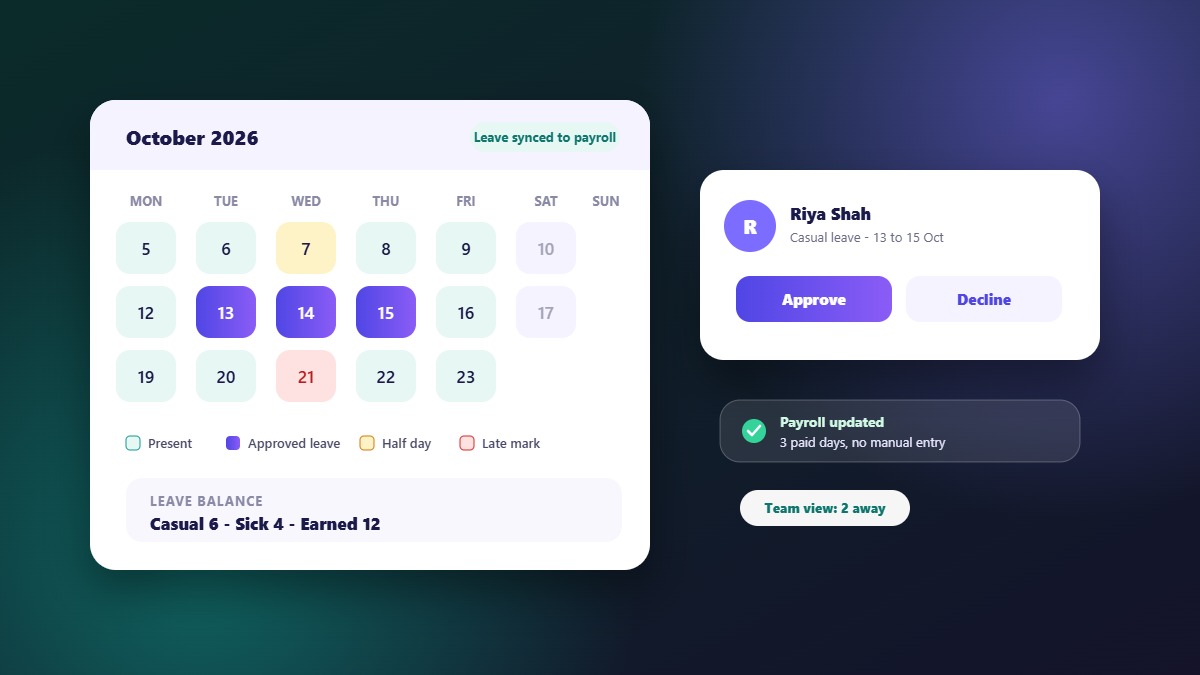
- An approved leave removes the absence flag automatically, so nobody reconciles two lists at month end
- Unpaid leave and late marks flow into payroll as deductions without manual entry
- Balances stay true, because credits, carry-forwards, and encashments are computed by rules, not by memory
- Managers approve from one place instead of replying to emails and WhatsApp messages
What good leave management actually automates
1. Leave policy rules
The system should model your real policy: casual, sick, and earned leave types, monthly or yearly credits, carry-forward limits, probation rules, and holiday calendars per location. If a tool cannot express a rule you already follow, HR ends up applying it by hand and the software becomes a diary.
2. Requests and approvals
Employees should apply from their phone, see their balance before applying, and get a clear answer. Managers should see who else on the team is already away, so approvals do not quietly leave a project unstaffed.
3. Attendance capture
Manual check-in and check-out works for many teams. What matters is that every punch lands in the same record leave uses, with shift rules (including multiple shifts) deciding what counts as late, half-day, or overtime.
4. Payroll handoff
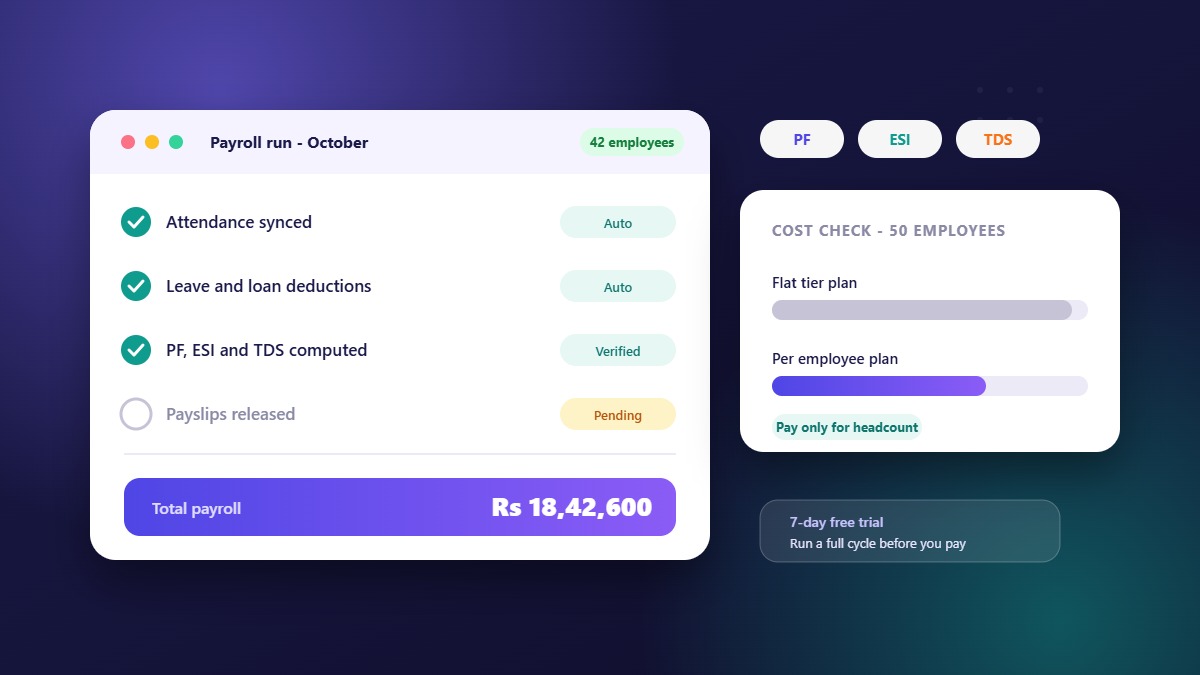
This is the step that justifies the whole exercise. Paid days, loss-of-pay days, and overtime should reach payroll as computed numbers. If someone still exports a file and edits it, the automation is incomplete.
How to set up policies that don't need constant exceptions
- Write the policy first, then configure it. If the rules live in people's heads, the software will reproduce the inconsistency
- Keep leave types few. Every extra type multiplies edge cases
- Decide carry-forward and encashment once, with a cap, and let the system enforce it
- Define half-day and late rules in minutes, so a manager is never arguing with a number
- Give employees self-service for balances and history, which removes most of the "what's my balance?" messages to HR
A useful test: ask HR how many times last month they changed an attendance or leave entry by hand. That number is what automation should bring close to zero.
A checklist for choosing leave and attendance software
- Does it support all your leave types, credits, and carry-forward rules without workarounds?
- Do attendance, leave, and payroll share one database, or does it sync overnight?
- Can employees apply and check balances from a mobile app?
- Does it handle multiple shifts and location-wise holiday calendars?
- Can managers see team availability before approving?
- Is pricing per employee, so the bill follows your headcount?
- Can you try it for a full cycle before paying?
WibesHR runs attendance, leave, and payroll on one platform, with a mobile app for employees and approval workflows for managers. Plans are priced per employee per month, and the 7-day free trial needs no payment, so you can run a real attendance and leave cycle first.
Common mistakes
- Automating a messy policy. Clean the policy before you configure it
- Keeping a parallel spreadsheet "just in case". It will diverge within a month and people will trust it over the system
- Skipping the manager training. Approvals are where most delays happen, so spend ten minutes showing them the approval screen
- Ignoring holidays and shifts. They cause more wrong absence marks than anything else
Leave policy: what to define before you configure anything
Software enforces rules; it does not invent them. Spend an hour on the following before setting up the system.
- Leave types: casual, sick, earned or privilege, maternity or paternity, unpaid, compensatory off
- Entitlement: days per year, and whether they are credited monthly or all at once
- Eligibility: after probation or from day one, and for which employee groups
- Carry-forward: whether unused leave carries over, and the cap
- Encashment: whether it is allowed, and when
- Notice and approval: how early to apply, who approves, and what happens in your absence
- Half days and short leave: whether they exist and how they count
- Holidays: the calendar, and whether it differs by location
Attendance rules that cause the most disputes
| Situation | Rule to decide in advance |
|---|---|
| Late arrival | Grace minutes, and how many late marks equal a half day |
| Early departure | Whether it counts as a half day and after how many minutes |
| Forgot to check in or out | How a correction request is raised and who approves it |
| Work on a holiday or weekly off | Compensatory off, extra pay or neither |
| Night or split shifts | Which shift rule applies to which employee |
| Remote or field work | How attendance is recorded and verified |
Writing these as numbers (minutes, counts, days) means a manager is never arguing with an opinion.
What to report on every month
- Attendance summary by employee and department
- Leave taken versus balance remaining
- Pending leave and correction requests
- Loss-of-pay days feeding payroll
- Late arrivals and early departures
- Upcoming holidays and expected absences
Reviewing these in the first week of the month catches problems before they become payroll corrections.
Rolling out leave and attendance software to your team
- Announce the date and the reason. Employees accept a tool that saves them messages to HR
- Show managers the approval screen. Ten minutes avoids most delays
- Give employees the mobile app and a one-page guide to marking attendance and applying for leave
- Run both systems for a cycle and compare
- Collect feedback after two weeks and fix the rules that caused friction
How leave and attendance connect to the rest of HR
Leave and attendance are the base layer. Payroll depends on them for paid days. Appraisals use attendance patterns. Hiring plans use expected absences. When all of these share the same employee records, a change in one place updates the others. That is the difference between a leave tool and an HR platform. You can see how this fits together on the WibesHR HR and payroll page, or read the guide on choosing an HRMS for 50 employees.
Frequently asked questions
What is a leave management system?
It is software that records leave policies, employee balances, requests, and approvals, and passes the result to payroll. A good one also shows team availability and holiday calendars.
Should attendance and leave be in the same tool as payroll?
Yes, where possible. Sharing one record removes the reconciliation step, which is where most payroll mistakes begin.
Can employees check their own leave balance?
They should be able to. Self-service balances and history cut a large share of routine questions to HR.
How long should I trial leave software?
Long enough to run one full month, including at least one approved leave and one payroll run. A short demo will not show how it handles real edge cases.