Search for HRMS pricing in India and you will find a mix of per-employee rates, flat monthly fees, tiered bundles and "contact sales" buttons. They are not directly comparable, and the cheapest headline number is often not the cheapest bill once your team grows, you add a module or an onboarding fee appears.
This guide explains how HRMS software is priced in India, how to turn any quote into a real monthly cost for your headcount, which charges hide outside the pricing page and which questions to ask before you sign. It is written for owners, HR managers and finance leads comparing options for a team of roughly 10 to 200 people.
Why HRMS pricing is hard to compare
Three things make comparison difficult. First, vendors price on different units: per employee, per bundle or per company. Second, what is included under a plan varies: one vendor's basic plan includes payroll, another's does not. Third, many vendors do not publish prices at all, so you only learn the number after a sales call.
The way through is to ignore the headline and calculate one number for every option: total monthly cost for your real headcount, with the modules you will actually use.
The three common pricing models
1. Per employee per month
You pay a fixed rate for each employee on the system. A team of 40 pays for 40. The bill grows and shrinks with headcount, which suits businesses that are hiring or have seasonal staff.
- Pros: predictable, scales both ways, no paying for unused capacity
- Cons: large teams see a big total, and some vendors count former employees or contractors
2. Flat fee with an employee allowance
A fixed monthly fee covers up to a number of employees, for example the first 50, with a charge per additional employee above that.
- Pros: easy to budget while you stay inside the allowance
- Cons: you pay for the full allowance even when you are below it, which hurts small teams
3. Tiered plans
Feature bundles at different prices, such as basic, standard and advanced. Check carefully which tier includes the modules you need, because payroll, mobile apps or recruitment are sometimes locked to higher tiers.
- Pros: you pay only for features you need
- Cons: the feature you need is often in the next tier up, and upgrading mid-year can be awkward
A worked example: converting any quote to a monthly cost
To compare plans fairly, convert each to a monthly cost at your current headcount, and again at the headcount you expect in twelve months.
| Model | Formula | Example at 50 employees |
|---|---|---|
| Per employee | rate × employees | 50 × rate |
| Flat with allowance | flat fee + (employees − allowance) × extra rate | flat fee only, if the allowance is 50 or more |
| Tiered | price of the tier that has every module you need | that tier's price |
Now repeat at 80 employees. A per-employee plan rises in a straight line. A flat plan stays level until the allowance, then climbs. A tiered plan may jump if you cross a tier limit. The cheapest option today is not always the cheapest after you grow, and the reverse is also true for a shrinking team.
What is usually included, and what is often not
When you read a plan, look for each of these and write down whether it is included, an add-on or unavailable.
- Attendance and leave
- Payroll and payslips, including statutory deductions you need
- Employee self-service and the mobile app
- Recruitment and applicant tracking
- Letters, contracts and documents
- Reports and exports
- Assets, projects and tickets
- Vendor and tender management
- Number of admins or users
- Support channel and hours
Costs that are not on the pricing page
Setup or onboarding fees
A one-time charge for configuration and data migration. It can be small or larger than the first month's bill, so ask for it in writing.
Add-on modules
Recruitment, assets or advanced reports priced separately. The plan that looked cheap becomes expensive once you add what you need.
Minimum employee counts
Some plans bill for a minimum number of employees, which raises the effective per-employee rate for small teams.
Storage, user or report limits
Caps that trigger an upgrade as you grow.
Annual lock-in
A discount for paying annually is useful only if you are sure about the product. Check the refund and cancellation terms before committing.
Payment gateway and tax
Check whether quoted prices include GST and whether payment methods add any charge.
Free plans and free trials
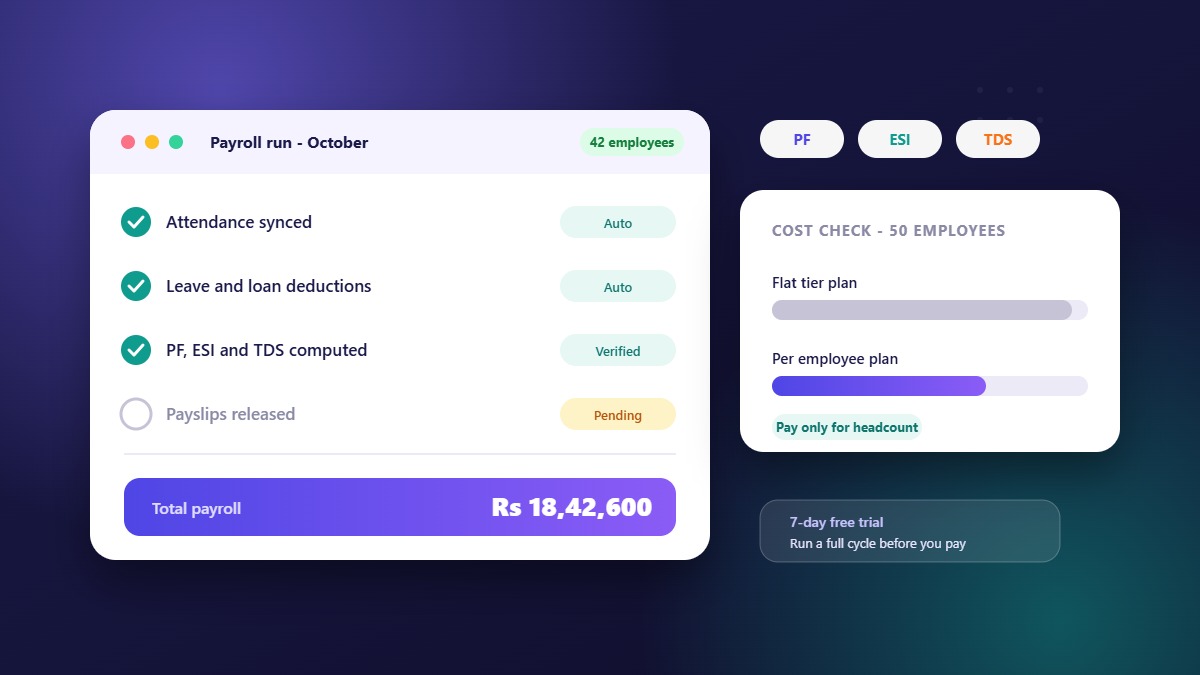
A free trial lets you test the real product with your own policies. A free plan is usually limited by employees or features. Both are useful, but they answer different questions. Use a trial to decide whether the product fits, and read the free plan's limits to decide whether you would outgrow it quickly.
When you trial, load your real leave types, a couple of shifts and a handful of employees, then run a mock month. That tells you far more than a demo.
Questions to ask any HRMS vendor
- Is there a setup fee, and exactly what does it cover?
- Which modules are included in the price I am quoted?
- What is the bill at my headcount today and at twice that?
- What happens to the bill if my headcount drops?
- Do former employees or contractors count towards the price?
- Can I try the full product before paying?
- Can I change plans or cancel without a penalty, and how do refunds work?
- Does the quote include GST?
- What support is included, and what are the hours?
How much should an HRMS cost?
There is no single right number. Prices vary with what is included, and published rates differ widely between vendors. Rather than anchor on a figure from an article, collect two or three quotes that include the same modules and compare them on total monthly cost at your headcount. Be wary of rates that look far below everyone else's: ask what is missing, such as payroll, the mobile app or support.
How WibesHR prices
WibesHR charges per employee per month with no setup fees. Every new workspace starts with a 7-day free trial that includes every feature, with no payment details required. HR and payroll, hiring, and vendor and tender management sit on the same platform, so you are not buying separate subscriptions for each.
The current plans and rates are on the pricing page, where you can also estimate the monthly cost for your team size using the slider. If you would like help choosing, contact us.
Frequently asked questions
What is the most common way HRMS is priced in India?
Per employee per month is common for small and mid-sized businesses, alongside flat fees with an employee allowance and tiered plans. Always convert a quote to a monthly cost at your own headcount before comparing.
Is per-employee pricing cheaper than a flat fee?
It depends on your size. For smaller teams or teams that fluctuate, per-employee pricing is often cheaper because you pay only for the people you have. For teams close to a flat plan's allowance, a flat fee can work out lower.
Are there hidden costs in HRMS software?
There can be: setup fees, add-on modules, minimum employee counts, usage limits and annual lock-ins. Ask for the full list of what is included and what costs extra, in writing.
Can I try an HRMS before paying?
Many vendors offer a trial. WibesHR gives every new workspace a 7-day free trial with all features and no payment details.
Does the price include payroll?
Not always. Some vendors sell payroll as a separate module or higher tier. Confirm that payroll, payslips and the statutory deductions you need are in the plan you are quoted.